Expenses and leases

Know what you spend.

Rent, utilities, suppliers, insurance and the rest, each with its receipt. Bills that come back every month enter themselves, and what your lease asks for reaches the landlord on time. The reports then put what went out beside what came in.

12expense groups, ready to use
Billing and accounting

Billing records what comes in. Expenses record what goes out. With both in WBAMS, every report can show what is left.

Expenses

Every expense, with its receipt

Twelve groups of categories are ready from the start, from rent and utilities to staff, insurance and marketing. Rename them, add your own, and give each payee the one it usually is.

One page for everything the business spends
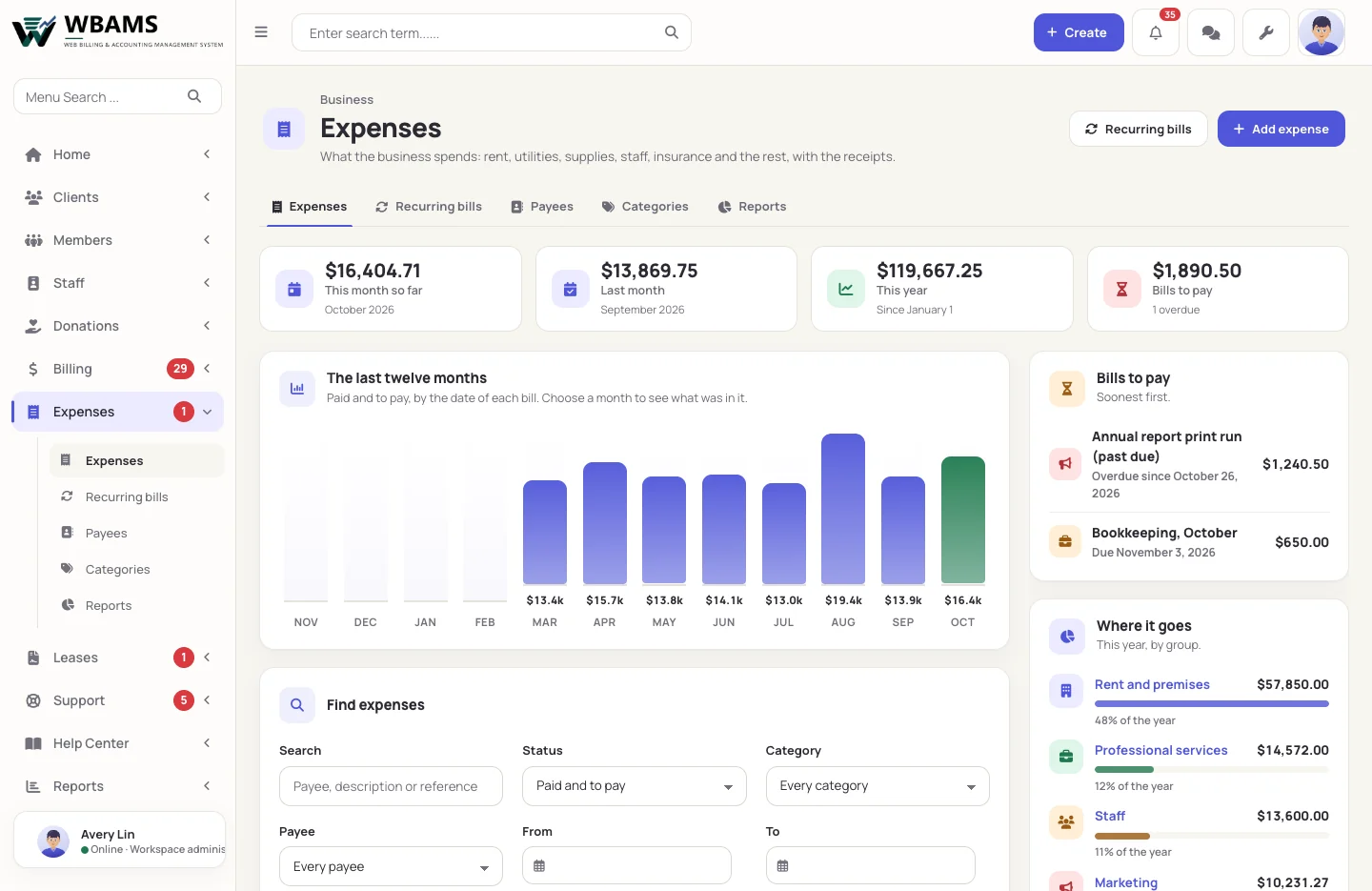
01 The year at a glance

One page for everything the business spends

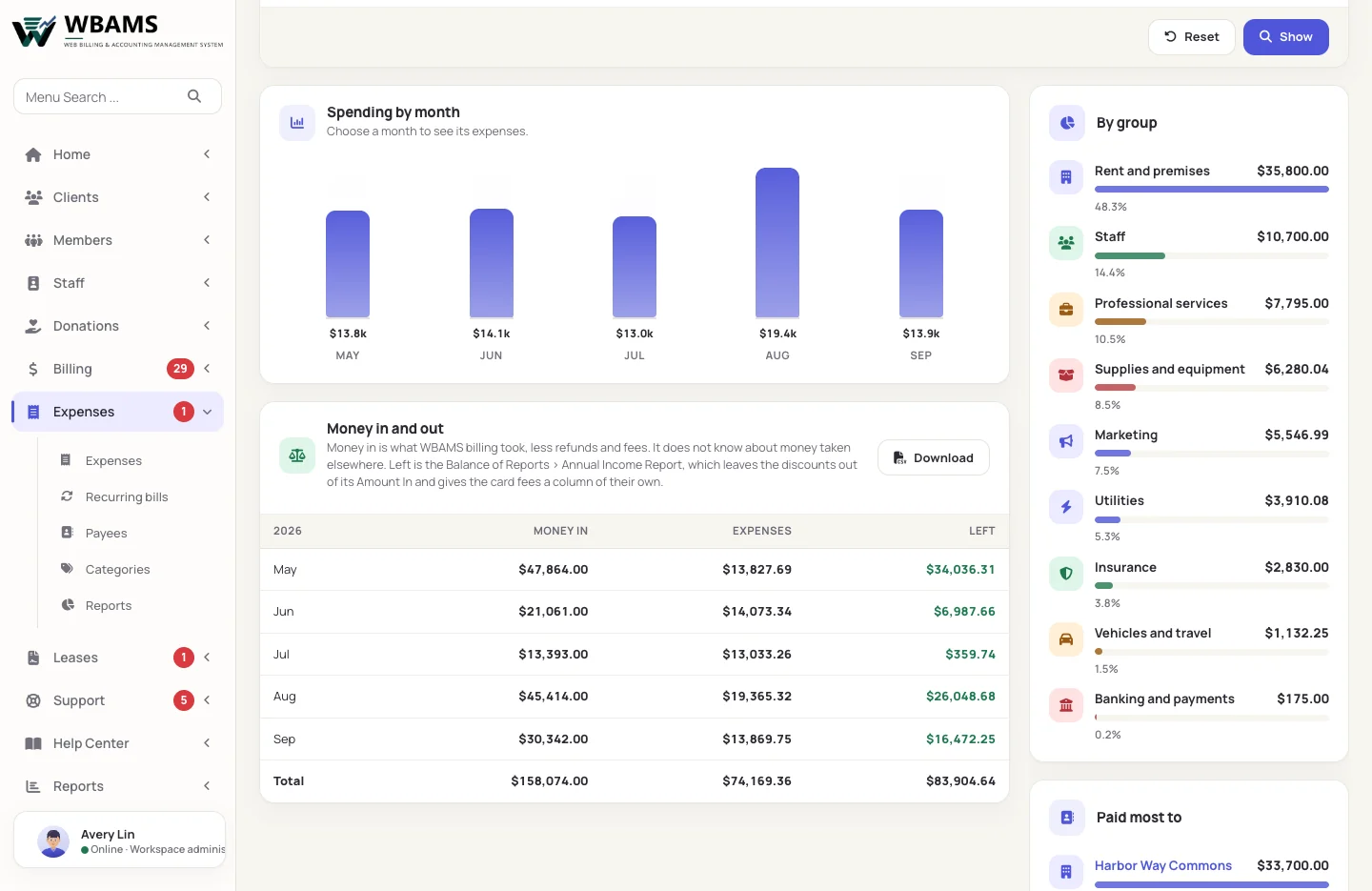
This month, last month and the year so far at the top, the last twelve months as a chart, bills to pay on the side and where the money goes by group. Choose a month to see what was in it.

  • Paid, or to pay by a due date
  • Receipts kept as PDF, photo or document
  • A spreadsheet download for your accountant
Bills that enter themselves
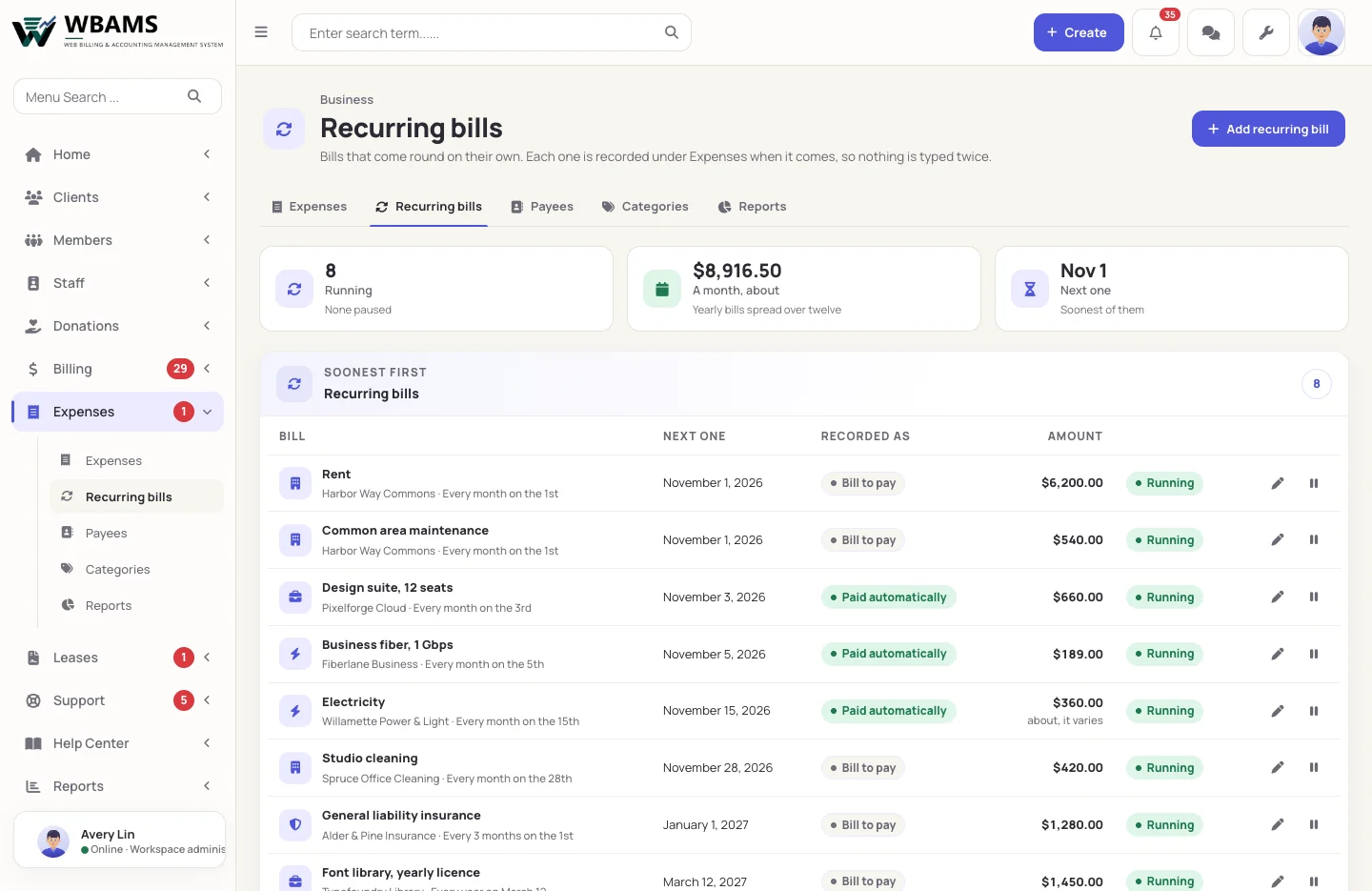
02 Recurring bills

Bills that enter themselves

Rent, internet, software and insurance come round on their own day and are recorded as paid or as a bill to pay. A bill whose amount changes goes in as an estimate until the real one arrives.

  • Every so many weeks, months or years
  • A reminder a few days before it is due
  • An overdue bill shown in red
Money in, money out, and what is left
03 Reports

Money in, money out, and what is left

Spending by month, by group and by payee, for any stretch of days, beside what WBAMS billing took in. The Annual Income Report now takes away expenses and card fees too.

  • By category and month, the way an accountant asks for it
  • The payees you paid most
  • Every table as a spreadsheet download
Leases

What the lease asks for, done on time

A landlord can ask for monthly sales figures, a current certificate of insurance and service reports. WBAMS prepares each one when it is due, and sends it by itself or waits for you to check it first.

Each lease, and everything it asks for
The lease

Each lease, and everything it asks for

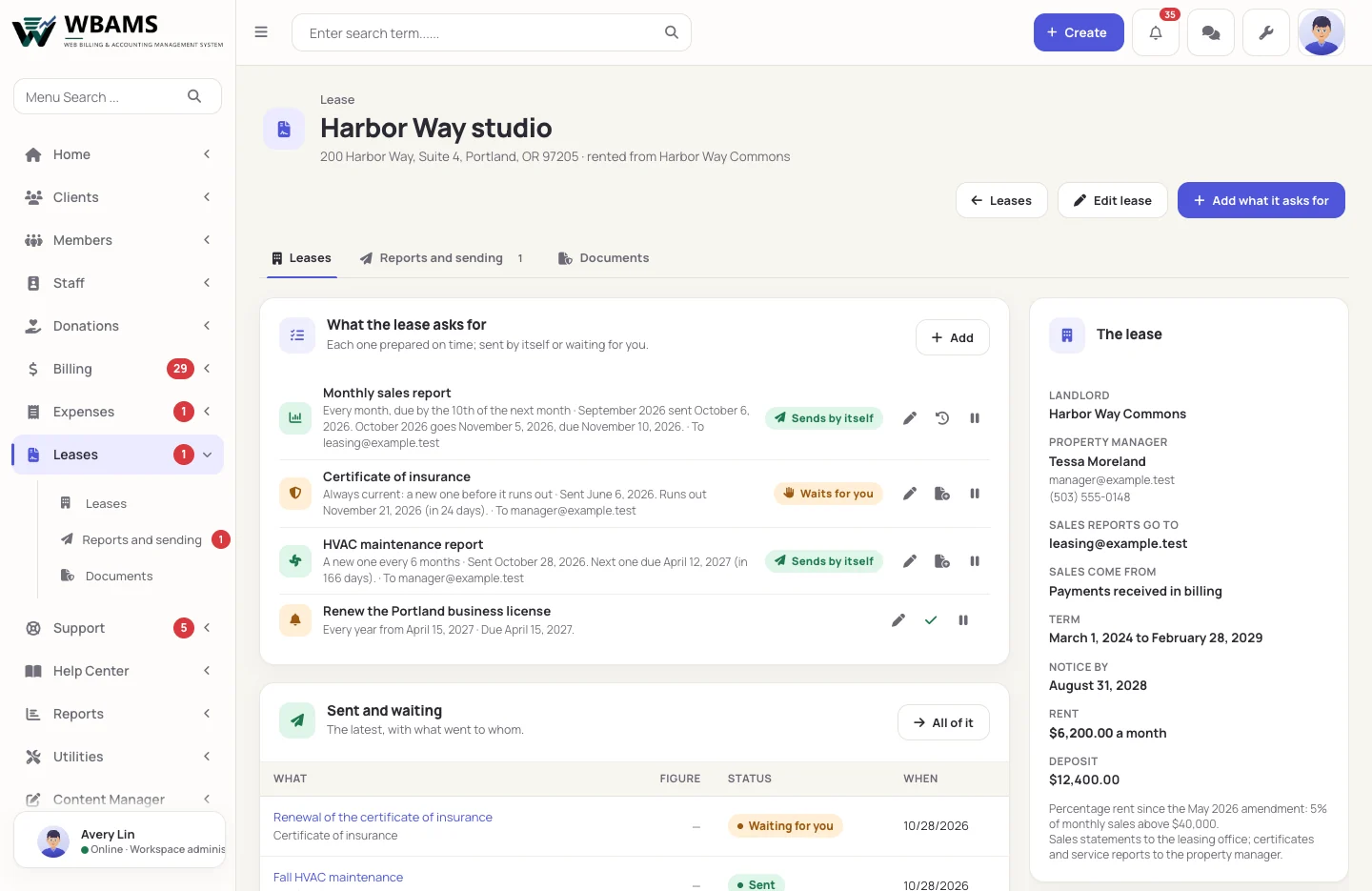
The premises, the landlord, the property manager, the term, the notice date, the rent and the deposit on one page, with the list of what the lease asks for and when each one is next due.

  • Sales reports every month, quarter or year
  • A certificate kept current, service reports on a schedule
  • Renewals and other reminders with their dates
Sales figures from your own records
Sales reports

Sales figures from your own records

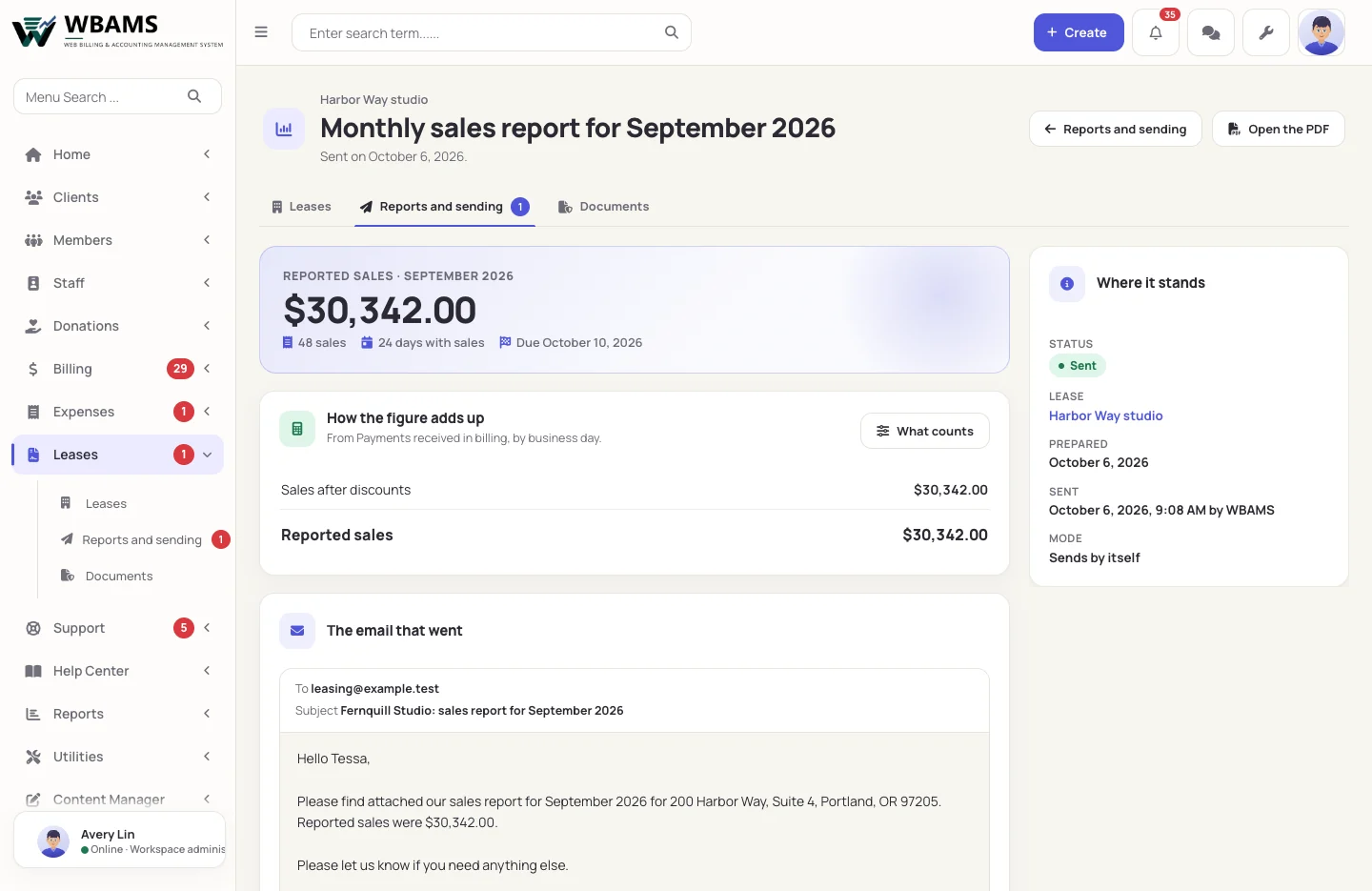
For a lease that charges a share of sales, WBAMS adds up the payments its billing took, day by day, writes the statement as a PDF and emails it to the landlord with the figure in the message. Sales kept elsewhere can be typed in when the report is due.

  • A PDF statement and a day-by-day spreadsheet
  • What counts toward the figure, chosen for each lease
  • A report for a month long past is held for you, never sent by itself
Every certificate and report on record
On record

Every certificate and report on record

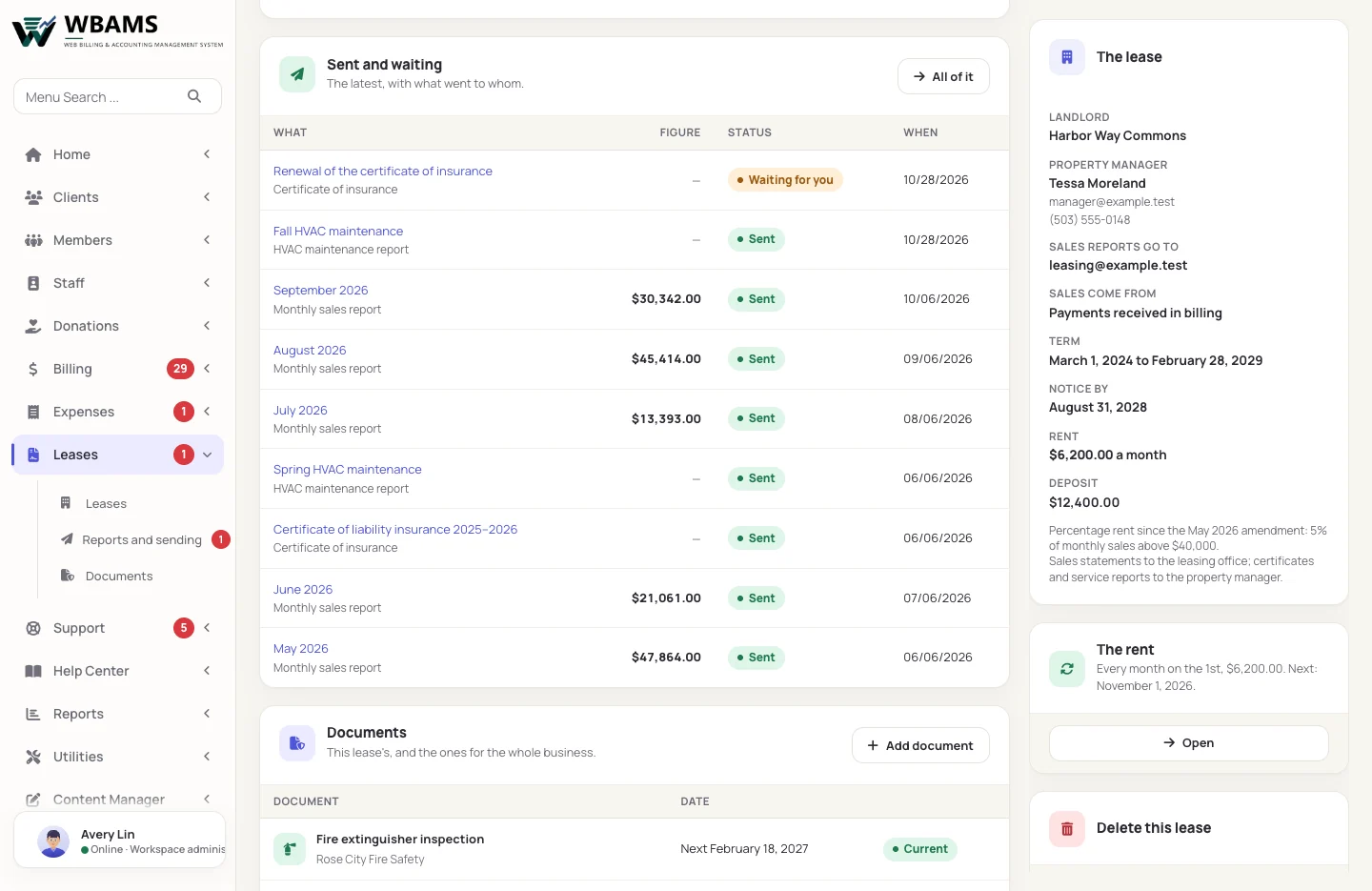
Insurance certificates, licences and inspections are kept with their dates. Before a certificate runs out, WBAMS prepares the request for the new one, and everything sent stays on record: what went, to whom and when.

  • Reminders 30 and 7 days before a document runs out
  • One reminder email a day, only when there is something to say
  • Documents for the whole business, not only for a lease
Getting started

A lease set up in four steps

  1. 01

    Add the lease

    The premises, the landlord and where each kind of report goes.

  2. 02

    Add what it asks for

    Sales reports, the certificate of insurance, service reports and reminders, each on its schedule.

  3. 03

    Check the first ones

    Everything starts as Waits for you, so you see each report before it goes.

  4. 04

    Let it run

    Switch a report to Sends by itself once you trust it. WBAMS prepares and sends it on time.

The details

The small things that save an afternoon

Payees Landlords, utilities, suppliers, insurers and contractors, each with the category it usually is.
Bills to pay A due date and a reminder before it, and an overdue bill in red at the top of the list.
Pay runs as wages Pay runs you mark paid can come in as wages by themselves, on the day they were paid.
Documents for the business Licences, permits and inspections with their expiry dates, whether or not a lease asks for them.
In your time zone Due dates, "this month" and reports by day follow the time zone your business works in.
Who sees what Separate permissions for expenses, expense reports, leases and lease reports.
Questions

About expenses and leases

WBAMS keeps your expenses beside the income its billing records, and its reports put the two together. It is not double-entry bookkeeping and it does not file taxes: the spreadsheet downloads give your accountant everything in one place.

From the payments WBAMS billing received, less refunds, counted by business day. If you also sell somewhere WBAMS cannot read, choose to type the figures in when each report is due.

Only what you set to send by itself. Everything a lease asks for starts as Waits for you, and a report for a period that ended a while ago is always held for you to check.

Yes. Under Expenses, Brought in automatically, pay runs marked paid can come in as wages on the day they were paid. A change you make to one of them is kept, and one you delete stays deleted.

Yes. Both are modules under Setup › Management Levels. A new installation for a company or an agency starts with both on; a site upgraded from an earlier release turns them on when it is ready.

Billing and accounting

Put what goes out beside what comes in

Expenses and leases are part of every WBAMS license.

Powered by WBAMS