What matters, the moment they sign in
Services, unpaid invoices, open tickets and quotes, each a click from the details.
- Pay an invoice in a few clicks
- Order more from the store
- Open a ticket with the right department
Services, invoices, quotes, tickets, credit, emails and notes live on the client's own account. Clients sign in to a portal with your name on it to pay, order and ask.


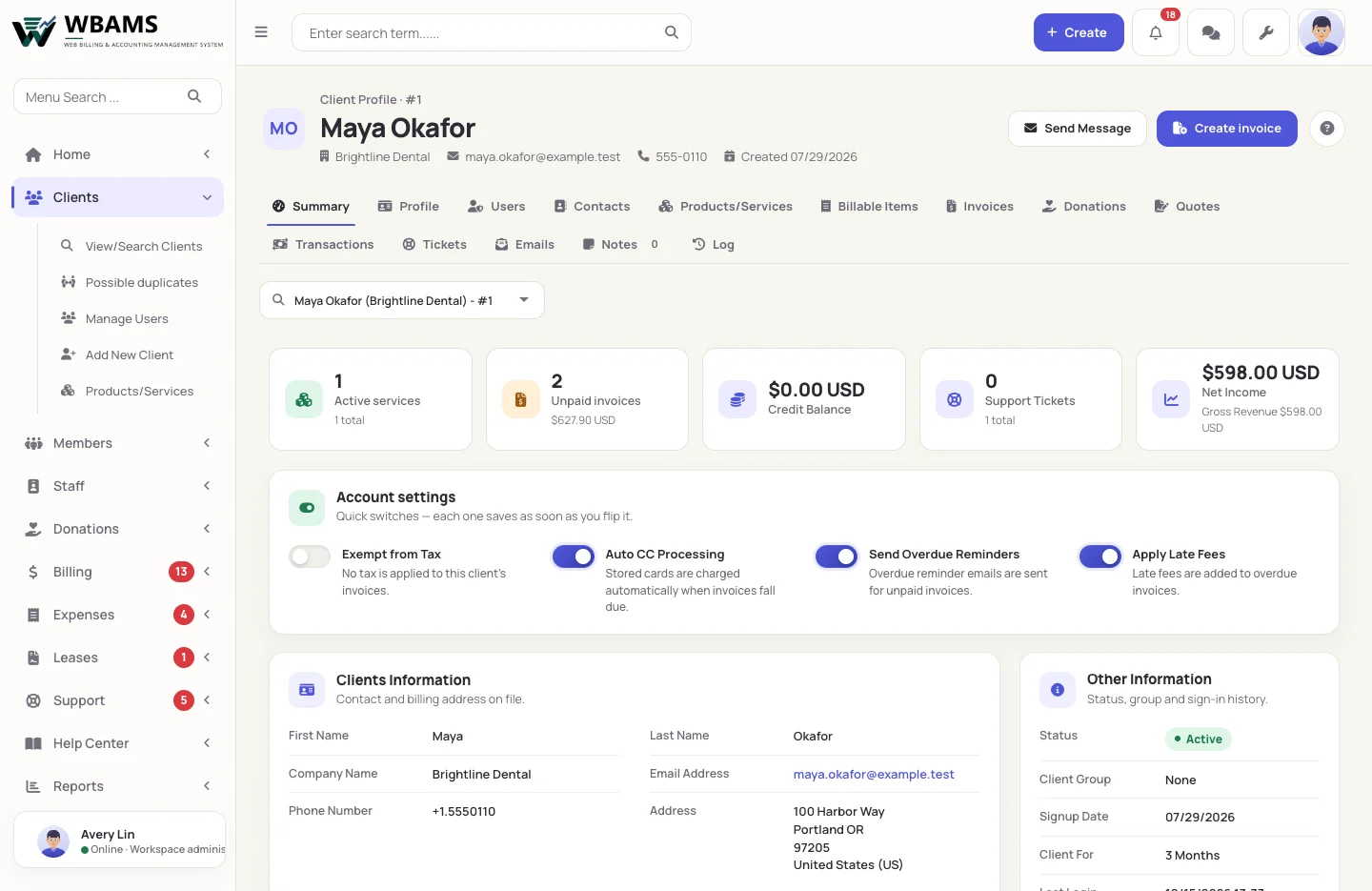
When a client calls, the answer is on one page: what they have, what they owe, what they asked and what your team promised.
An account opens on its summary; every other view is a tab across the top.
Active services, unpaid invoices, credit, open tickets and net income, with the switches that change how billing treats this client.
People who sign in, and contacts who only receive the messages you assign them. One user can look after several accounts.
Everything the client is subscribed to, with its cycle, amount, next due date, add-ons and upgrade path.
Every invoice and quote raised for the account, the transactions behind them and the credit held.
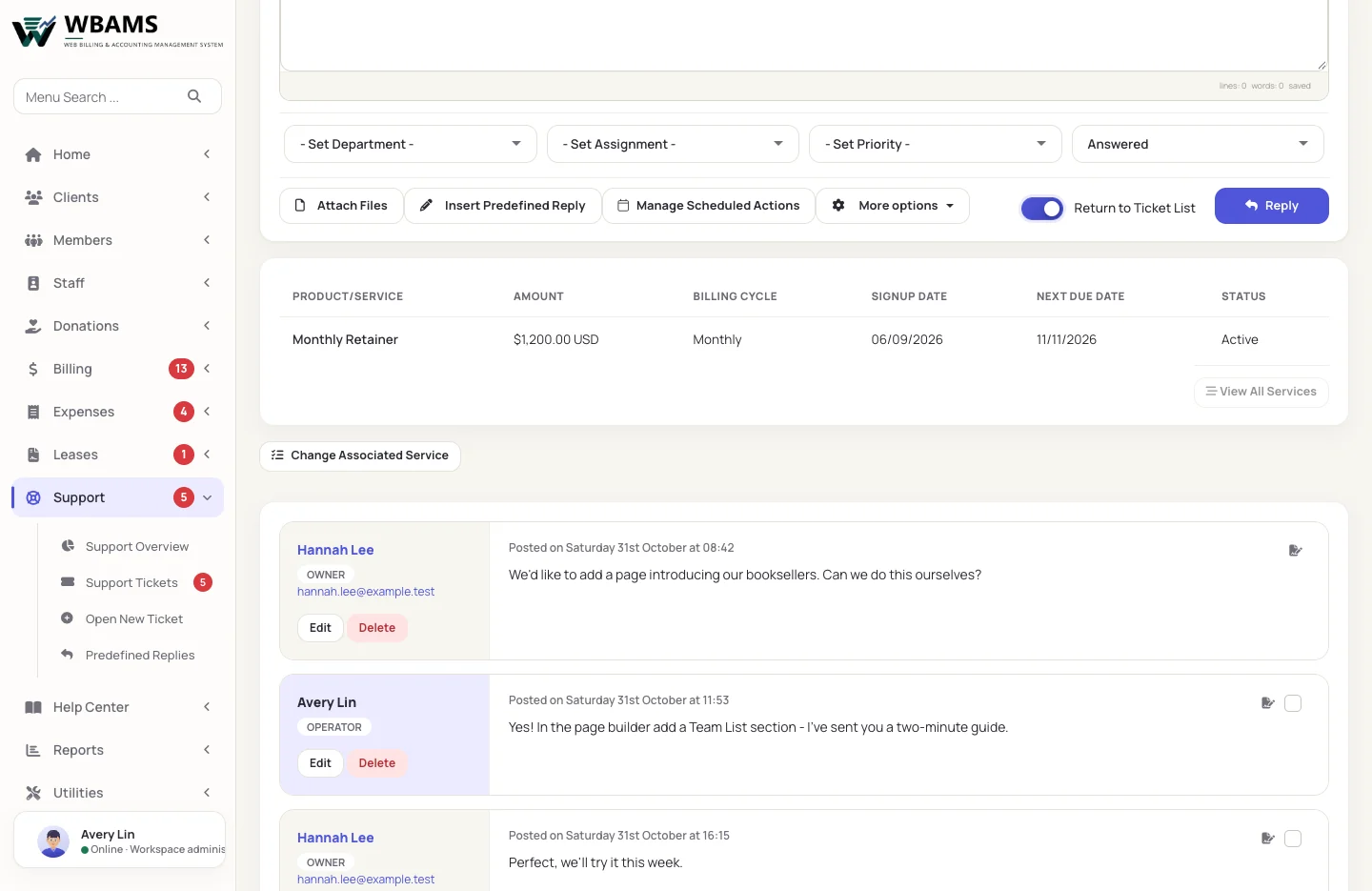
Support history, every email WBAMS sent, internal notes your team keeps and a log of what changed.
Two client themes, light and dark, in English, Spanish or Swedish, with your logo and colors.

Services, unpaid invoices, open tickets and quotes, each a click from the details.

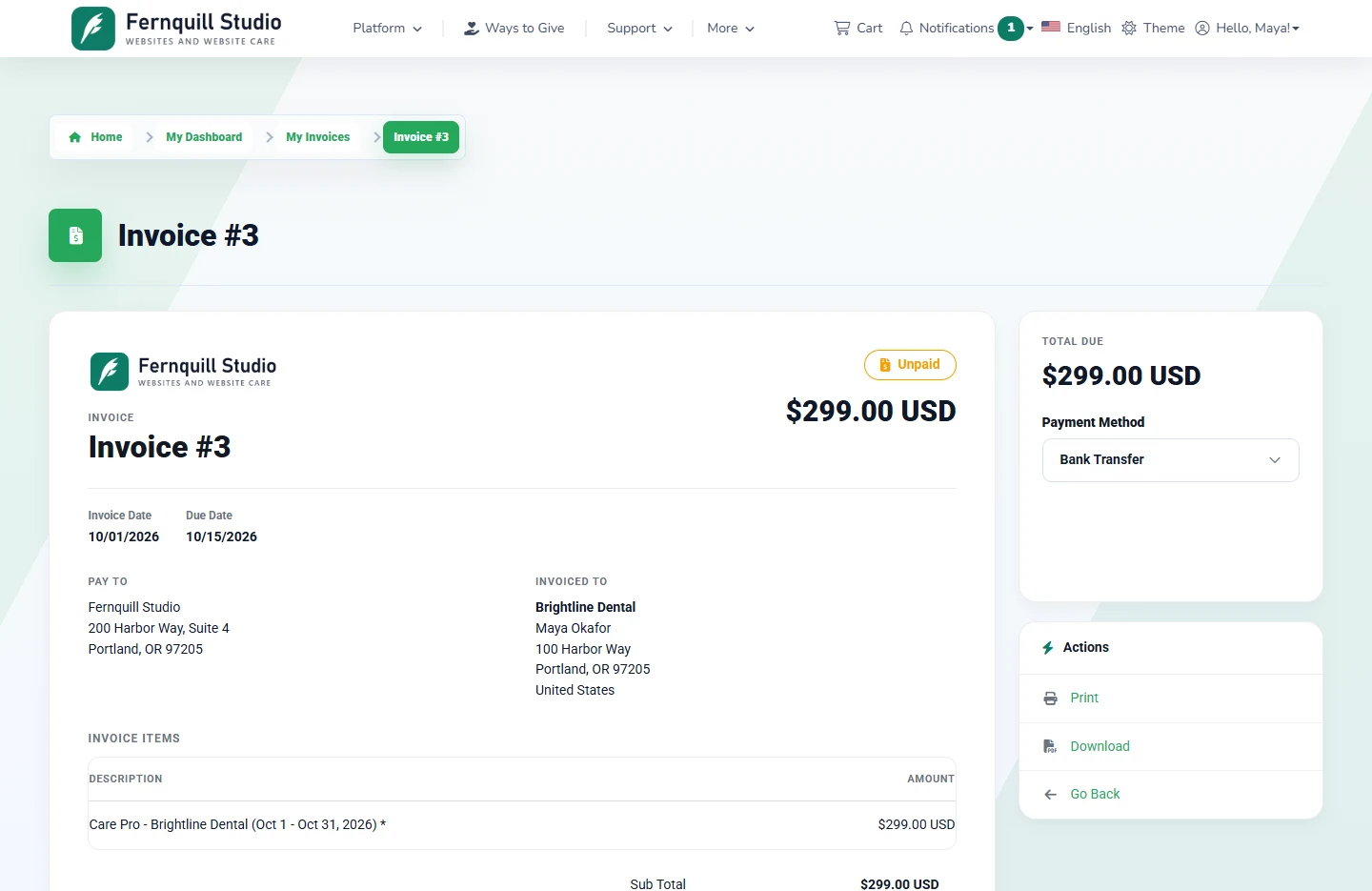
A clear invoice with the way to pay beside it, a PDF to download and a link that works only for the right person.

Every product and service with its price and next due date, filtered by status, with upgrades and add-ons on offer.

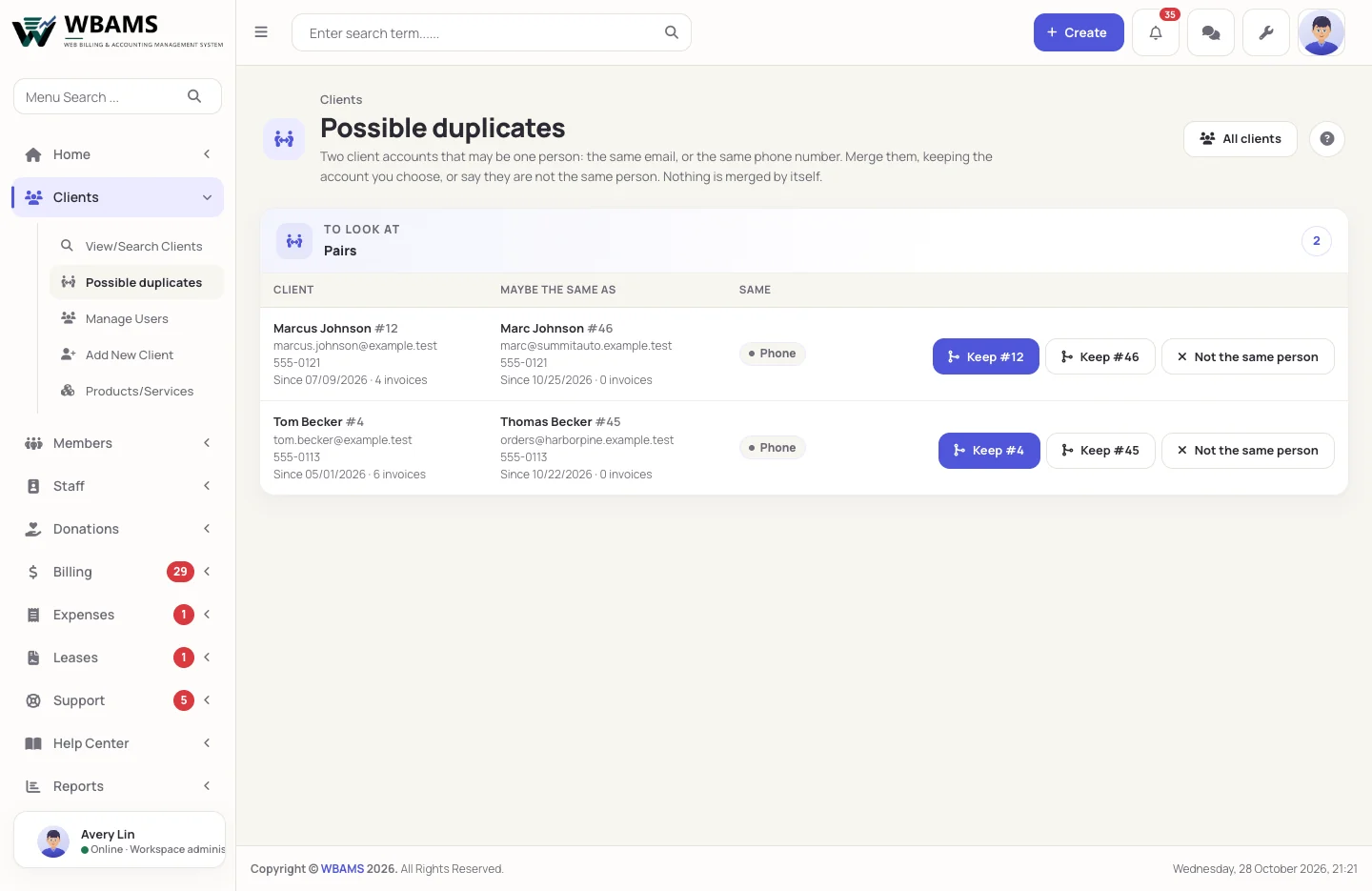
Open client accounts that share an email address or a phone number are listed in pairs. Merge a pair into the account you keep, or mark them as two different people so they are not listed again. Nothing is merged on its own.
Yes. A user is a person with a password, and an account is the business record; one user can be linked to several accounts, which is how an agency manages its clients without sharing a password.
If you want them to. Client registration is a switch: turned off, only your team and the API create accounts, and checkout asks for an existing one.
Yes, with Google, Facebook or Twitter, once you create the application at the provider and paste its credentials into WBAMS.
The client area comes in English, Spanish and Swedish, and each client can choose their own. Country names, and the states of the United States and Canada, follow the visitor's language too, and any wording can be changed for each language under Setup › Text overrides.
Yes. Closing an account ends the relationship and keeps every record. Duplicate accounts can be merged, and a service can be moved to another client without recreating it.
Accounts, portal, billing and support, sharing one record.
Powered by WBAMS